Inna Drozd
View all cases
Layout Customization
Industry: FinTech
Role: Product Designer
Overview
This case focuses on designing a unified layout customization system for a data-heavy FinTech platform.
The goal was to centralize filter and column presets into a scalable, reusable structure that reduces manual reconfiguration while supporting flexible, consistent workflows.
Problem
- Filter and column presets evolved independently, without a shared architecture or clear scalability path.
- Users had to manage presets across multiple locations, making it unclear what was saved, where, and how to reliably reuse it.
- Fragmentation limited flexibility and control when applying filters and layouts across different table views and workflows.
Process
Research
- Studied how users configure and reuse table views in daily workflows, focusing on where presets break or get bypassed.
- Reviewed comparable data-heavy tools to identify common patterns for managing filters, columns, and saved views.
User Insights
Users can save presets, but struggle to find, update, or reuse them across views, leading to repeated manual setup.
Column configuration is underused because users can't reliably return to a preferred table layout.
Solution
The solution was designed to reduce fragmentation and establish a scalable foundation for managing layouts across the platform, while addressing immediate usability issues.
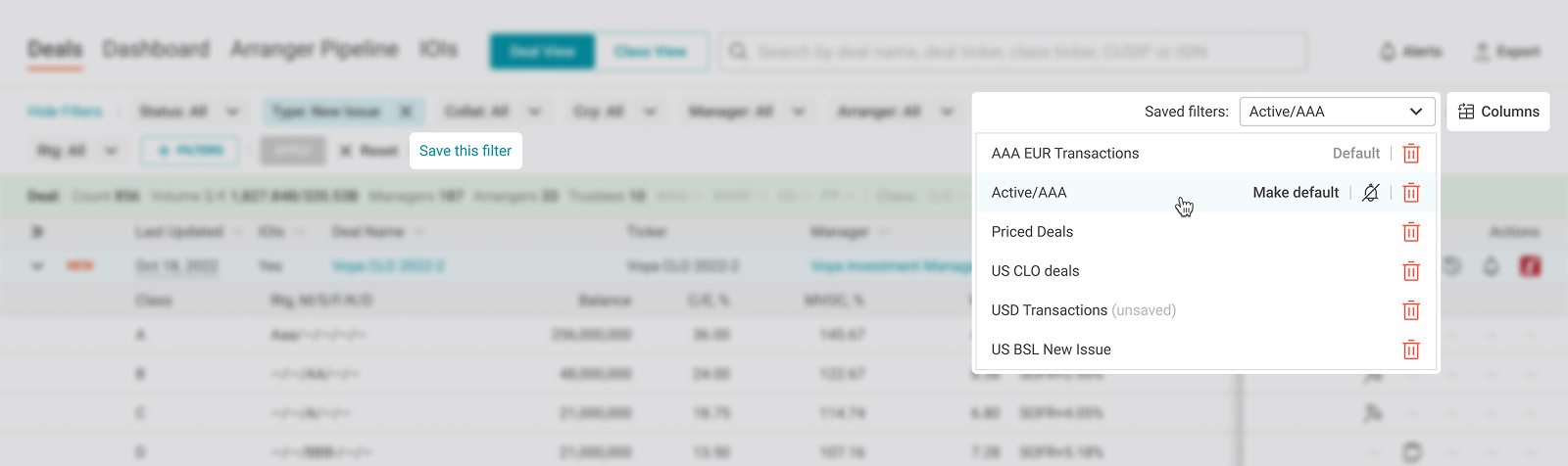
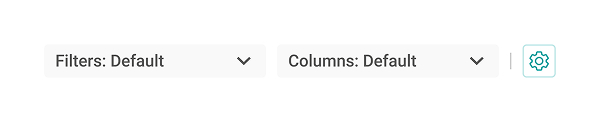
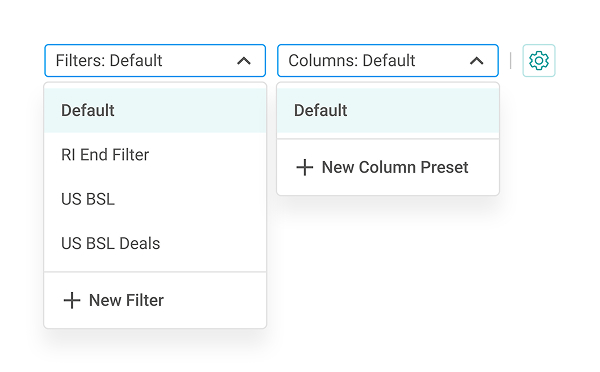
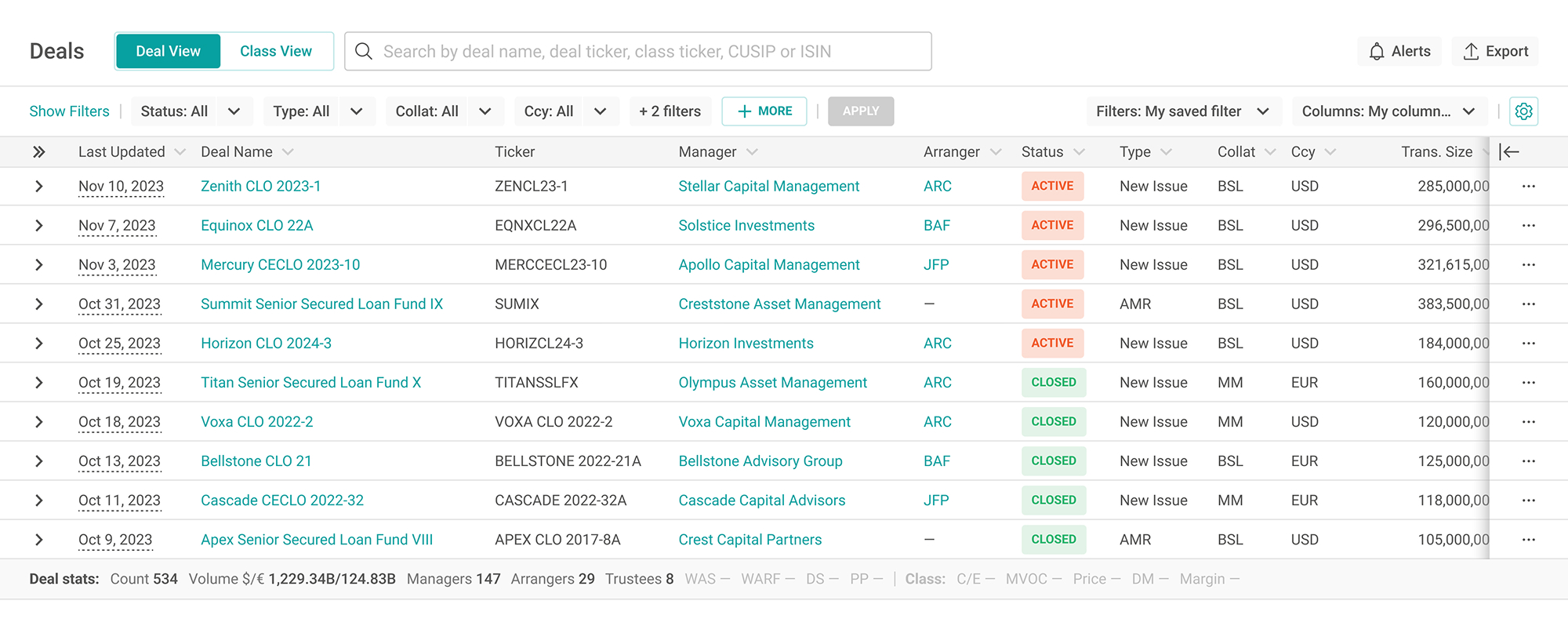
- Filter and column presets were elevated to the top-level interface, making saved views immediately visible and easy to switch between.
- A centralized settings entry point allows users to manage filters, columns, and table views in one place, supporting consistent behavior across different workflows.
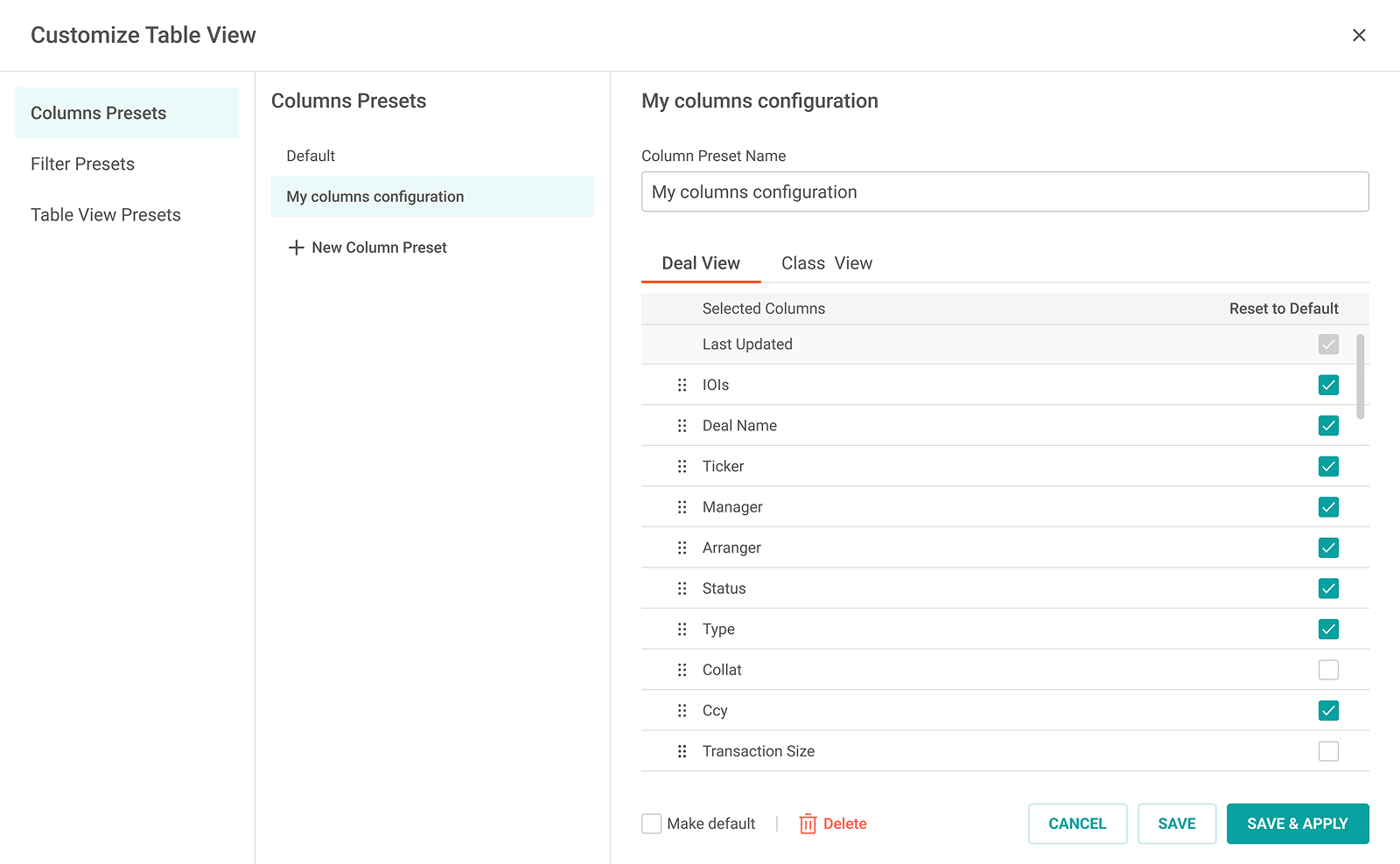
Configure Columns Presets
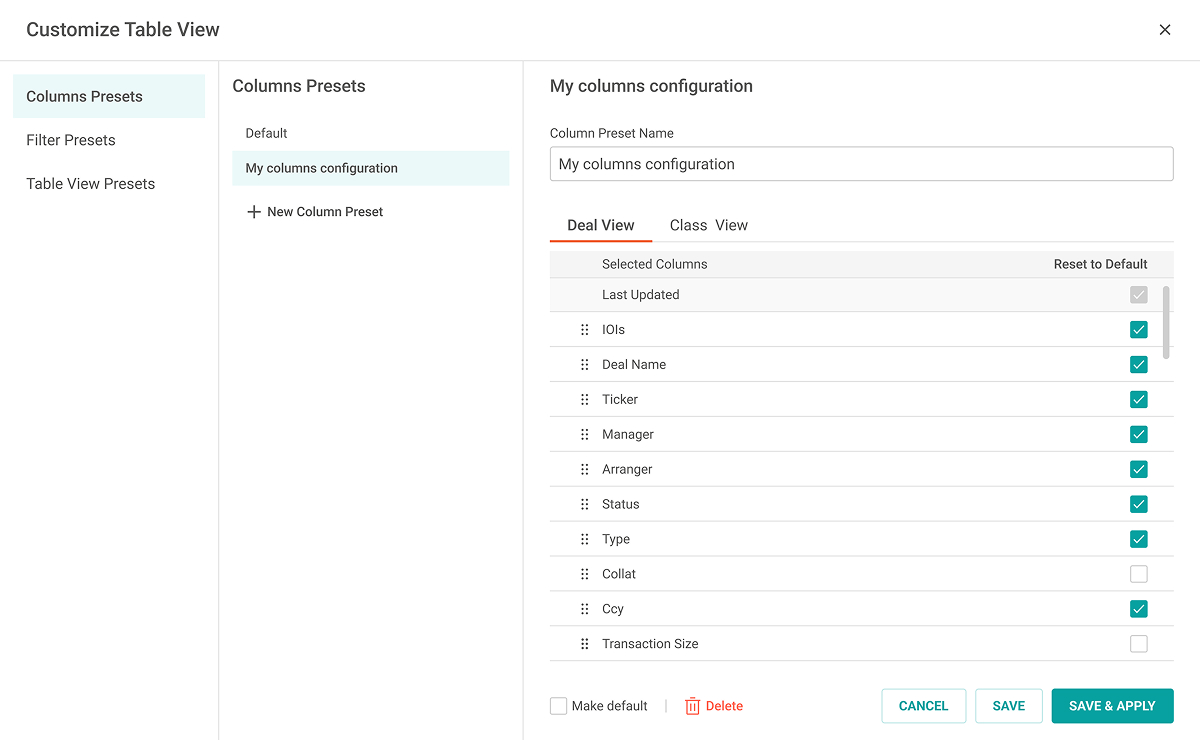
- Reusable column presets let users save and return to preferred table layouts instead of reconfiguring columns each time.
- Presets support ordering, visibility, defaults, and separate Save vs Save & Apply to enable safe experimentation and fast context switching.
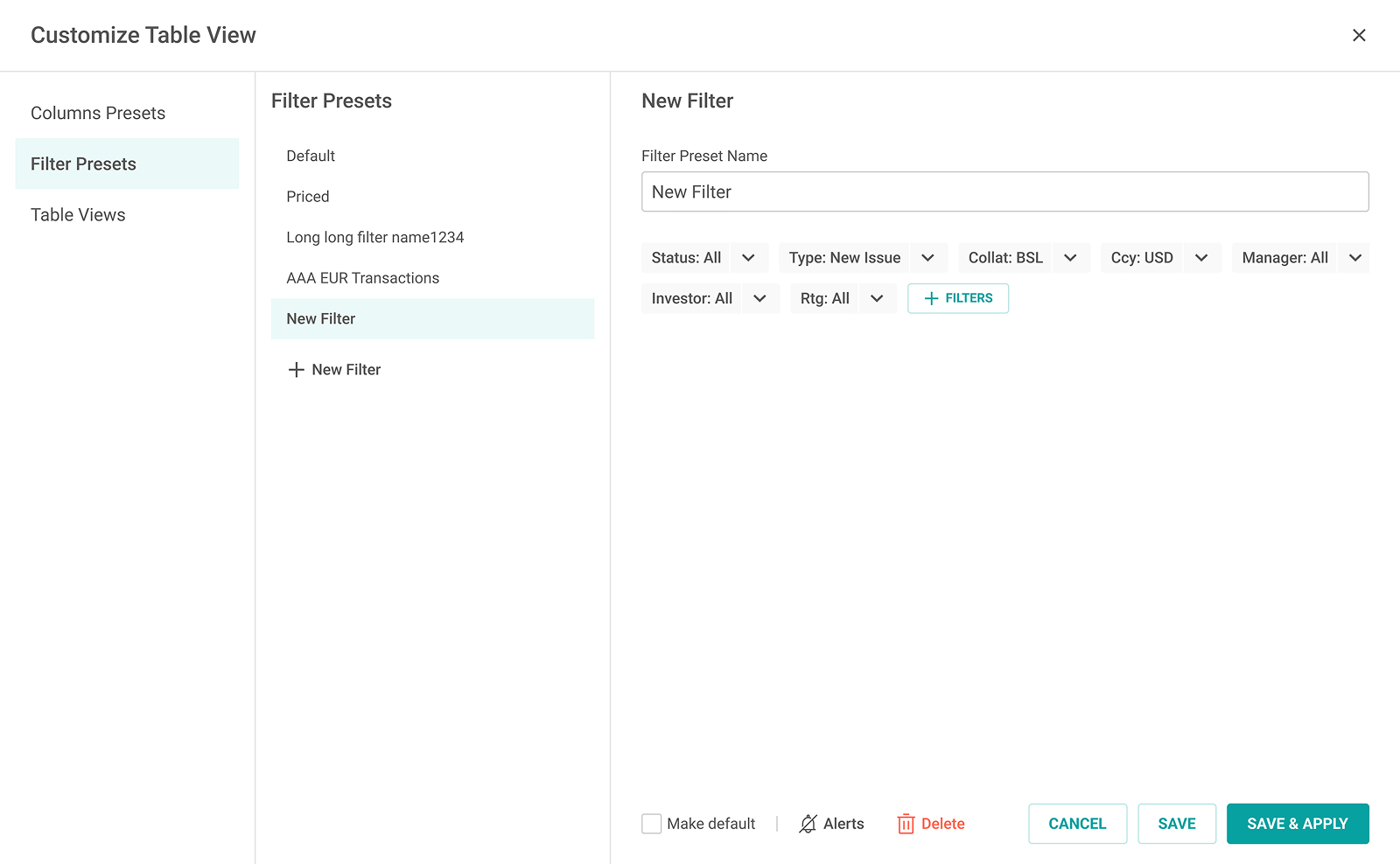
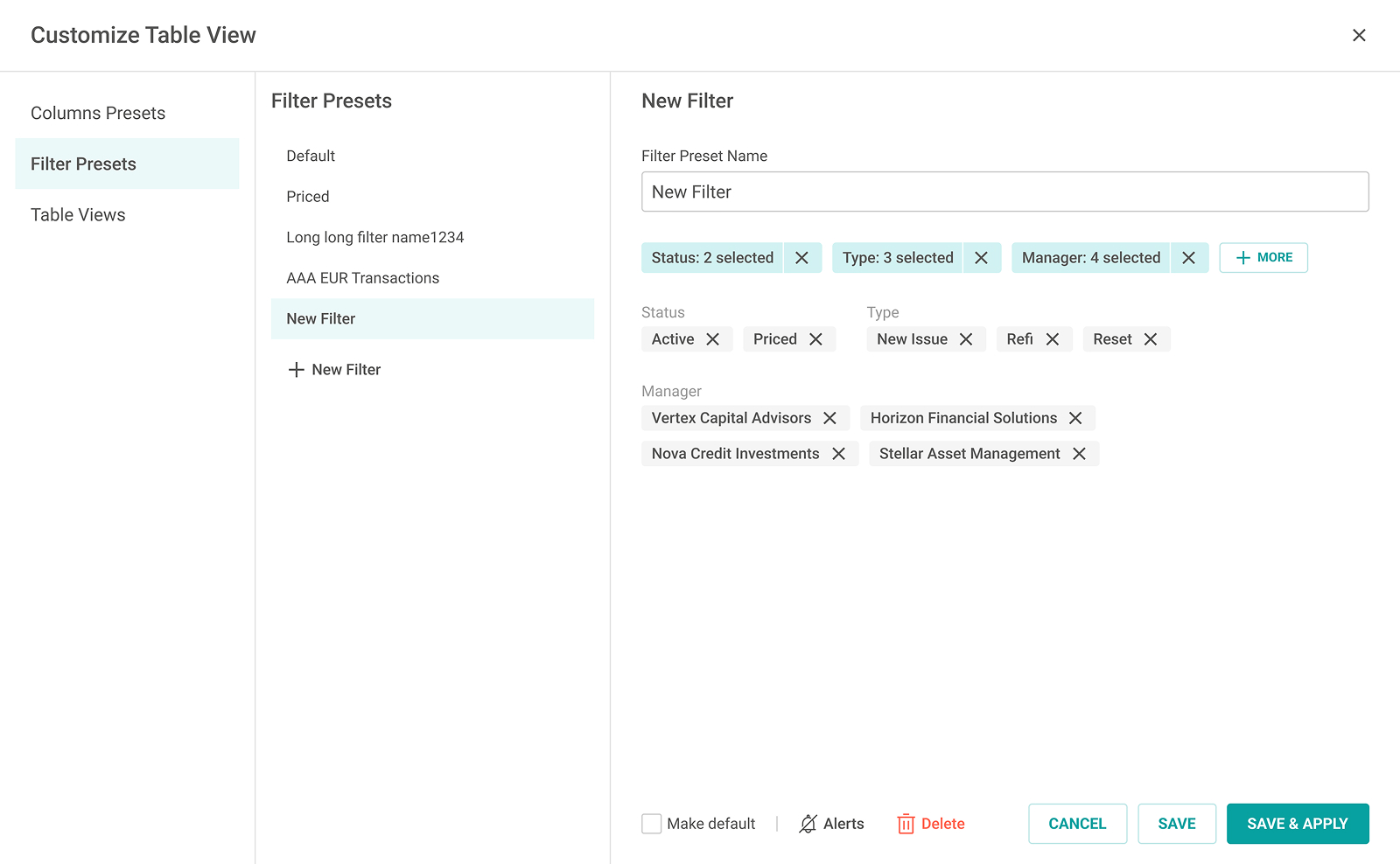
Configure Filter Presets
- Filter presets follow the same mental model as live filtering, making saved filters predictable and easy to reuse.
- Presets can be updated and linked to alerts, turning filters into an ongoing monitoring tool.
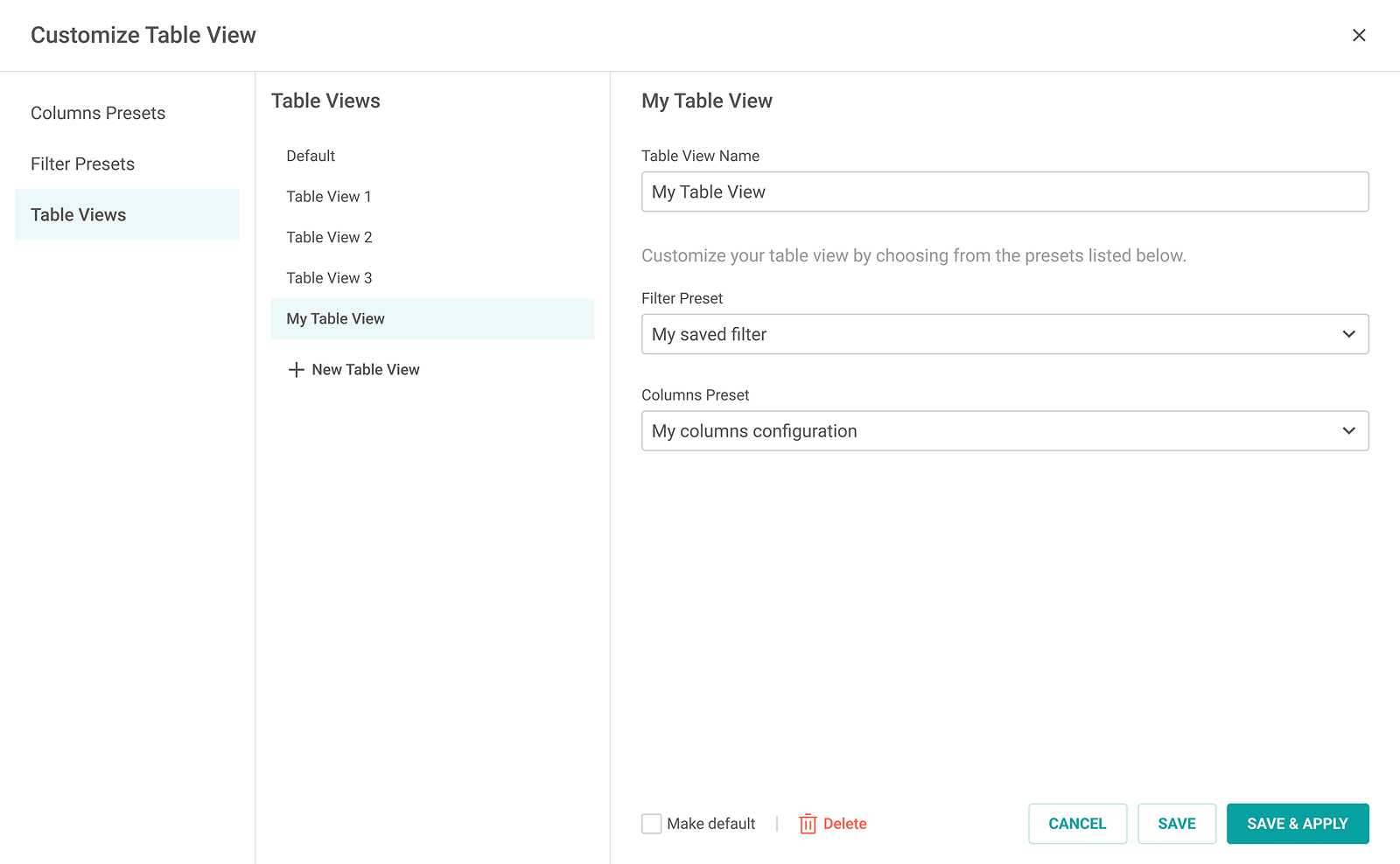
Configure Table Views
- Table views combine saved filters and column presets into a single reusable view for fast context switching.
- Separating filters, columns, and views enables future expansion to other view types (charts, reports).
Impact
A unified preset system drove higher adoption, faster workflows, and lower support load.
Adoption
65%
Before: 25% → After: 65%
+40 pp
Sessions using presets
60%
Before: 20% → After: 60%
+40 pp
Time to configure
45 s
Before: 130 s → After: 45 s
-65%
Support tickets
5
Before: 12 → After: 5
-58%
Before: 90 days pre-release; After: first 90 days post-release. Medians; normalized/anonymized.
Business meaning
- Single entry point for filters, columns, and views reduced context switching and setup time.
- Composable presets (filters + columns = views) created a scalable foundation for reusable, shareable workflows.